Ring Doorbell Installation In Grand Cayman

Published
What is the best Ring doorbell installation company in Grand Cayman?
Ring is the most popular video doorbell brand on the market. Millions of homes have Ring doorbells installed, ensuring that they are aware of potential intruders. If you need a professional to help install your Ring doorbell, then CALL GEORGE is the best company in Grand Cayman. We have trained technicians who not only install, but make sure that the Ring doorbell is set up correctly on your phone before leaving.
How to install & set up a Ring doorbell
At a real client's home in Grand Cayman, we installed and set up a Ring doorbell. We opened it from the package and charged the built-in battery for eight hours, then set up the Ring app on the client's phone by scanning the QR code on the back of the device and connecting it to his new Ring account. After that we drilled two small holes in the wall next to the front door, lightly tapped in the wall plugs, placed the bracket over the holes and tightened the screws, which is where the Ring doorbell slides on. These are the real job photos and the steps we took.
1. Open the package and charge the built-in battery
We started by opening the Ring doorbell from its package. Ring doorbells do not take regular batteries - the battery is built in and charges through a phone charging cable - so we put it on the charger and left it for eight hours before any setup work began.
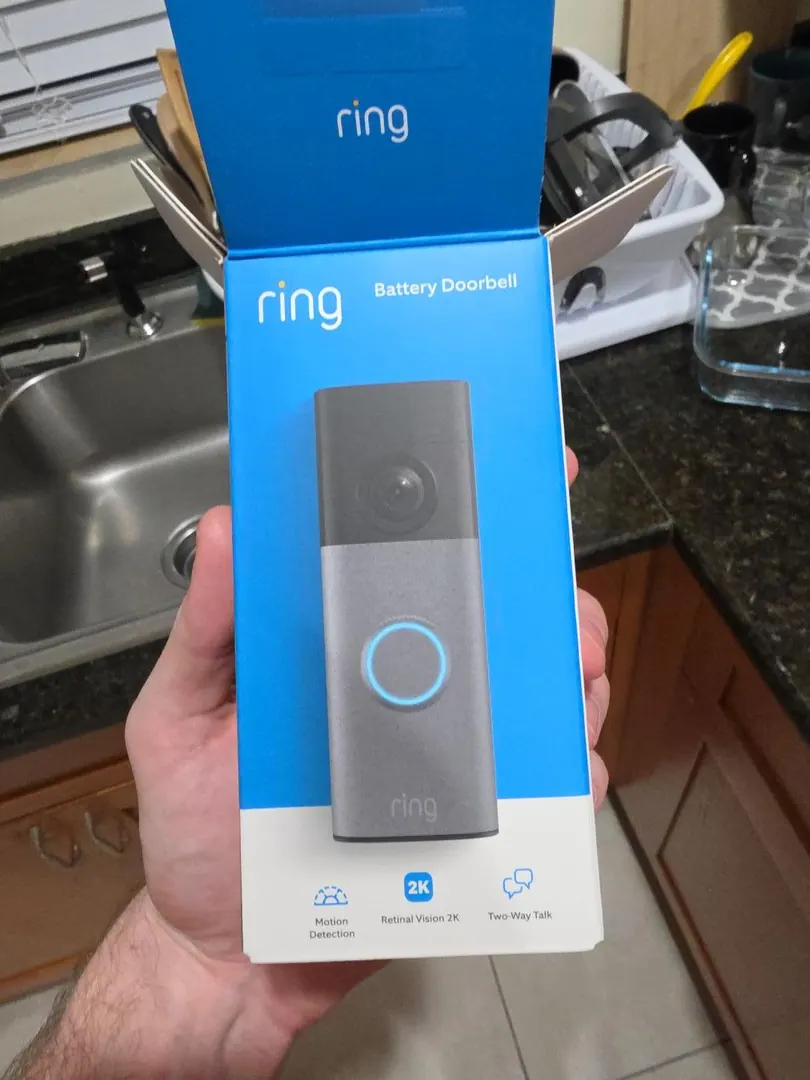
The Ring Battery Doorbell out of its package, before the built-in battery went on the charger. 2. Set up the Ring app on the client's phone
With the battery charged, we set up the Ring app on the client's phone by scanning the QR code on the back of the doorbell, then connected the device to his new Ring account. The client created the account himself, so the doorbell and its recordings stay under his control.
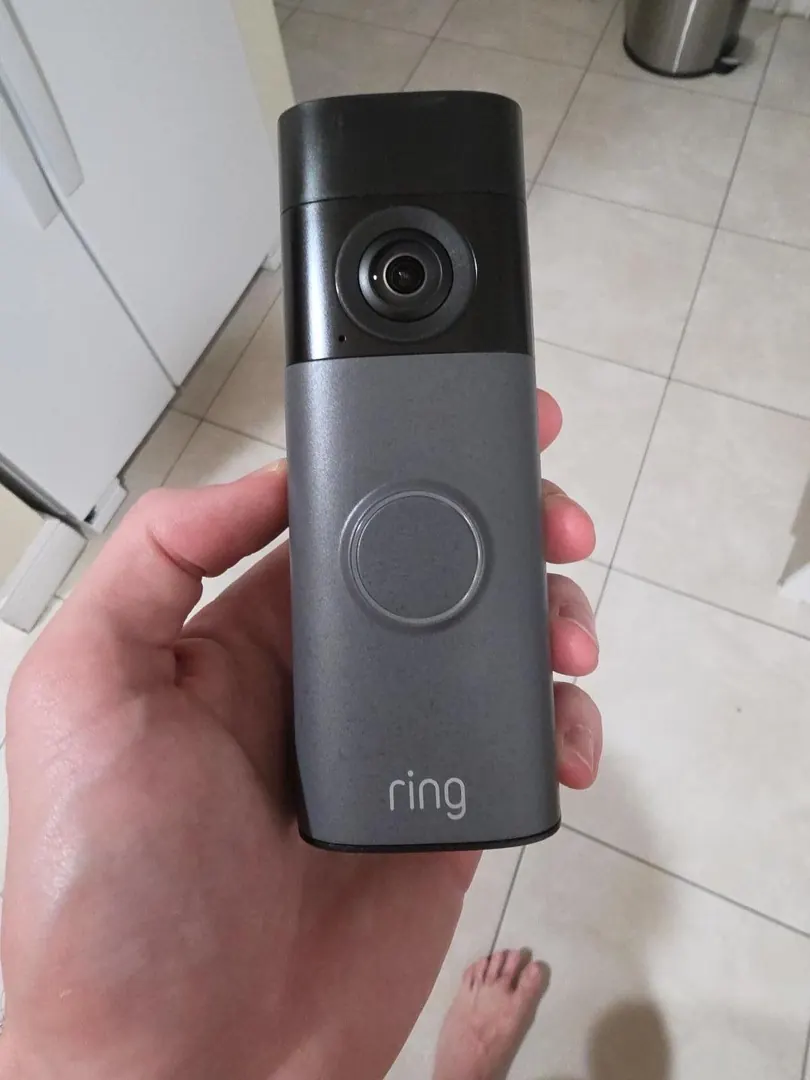
The doorbell before mounting. The pairing label on the back is not shown here, so the client's device details stay private. 3. Drill two small holes and tap in the wall plugs
We marked the position on the wall next to the client's front door and drilled two small holes. The wall plugs were then tapped in lightly with a hammer so they sat flush, ready for the bracket screws.
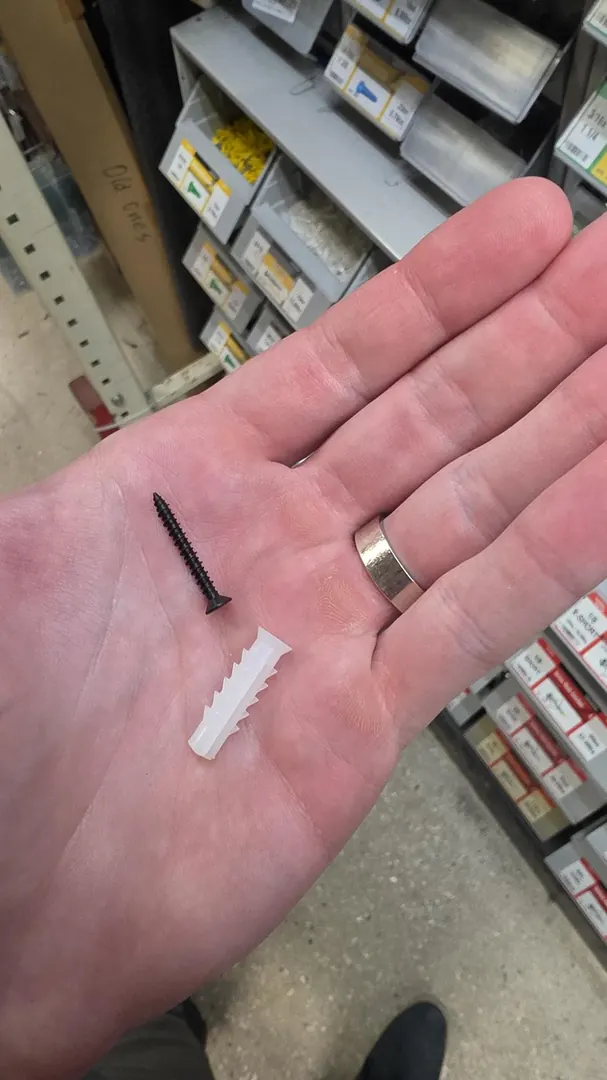
The screw and wall plug used to hold the mounting bracket to the wall beside the front door. 4. Screw the bracket on and slide the doorbell into place
We placed the bracket over the plugs and inserted the screws to tighten it to the wall. That bracket is where the Ring doorbell slides on. Once it was seated, we tested the doorbell so everything was working before we left.
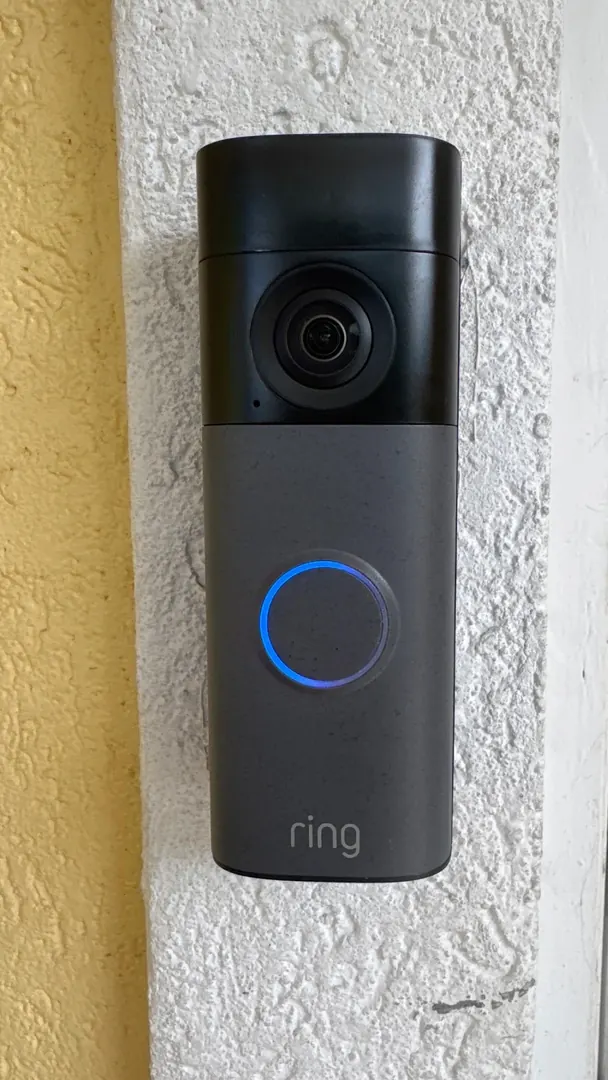
The finished install: the Ring doorbell seated on its bracket beside the front door, indicator light on.
Frequently asked questions
How much does a Ring doorbell installation cost?
Our standard rate is $125 KYD per hour. Larger jobs are quoted per project. The total depends on the wall you are mounting to, whether the bracket needs anchors, and how long the app setup takes. Send us a photo of the area beside your front door for a quote specific to your setup.
How long does a Ring doorbell installation take?
Where the wall is straightforward to drill and the app setup goes smoothly, the work is normally finished in a single visit. Ring doorbells run on a built-in battery that has to be charged before the setup starts, so the eight hours of charging is worth doing the night before we arrive. We can advise on timing after seeing your setup; we do not promise a fixed turnaround before inspection.
What do I need before the installation?
Your Ring doorbell, the mounting bracket it comes with, the charging cable and adapter that came in the box so the built-in battery can be charged, and your phone with the Ring app installed. You also need a Ring account, which you create yourself so the doorbell and its recordings stay under your control. Ring doorbells do not take regular AA batteries - the battery is built in and charges through a phone charging cable.
What does a Ring doorbell installation involve?
We charge the built-in battery, then open the Ring app on your phone and scan the QR code on the back of the doorbell to connect it to your own Ring account. Once the app shows the doorbell is paired, we mark and drill two small holes in the wall beside the front door, tap in the wall plugs, place the bracket over them and tighten the screws. The doorbell slides onto that bracket, and we test it before we leave so everything is working.
Can I install a Ring doorbell myself?
Ring publishes its own setup guidance and the app side is straightforward: charge the battery, scan the QR code, follow the prompts. The drilling is where most people run into trouble - the wrong wall plug for the wall, a bracket that is not level, or holes drilled in the wrong place because the doorbell could not reach its account first. If you drill your own holes, check the position with the bracket held in place, use plugs suited to your wall, and confirm the doorbell is paired and working before you commit to the holes.